Set TP and SL in Pips Points or Currency
Automatic Take Profit and Stop Loss on every trade, now with a trailing stop
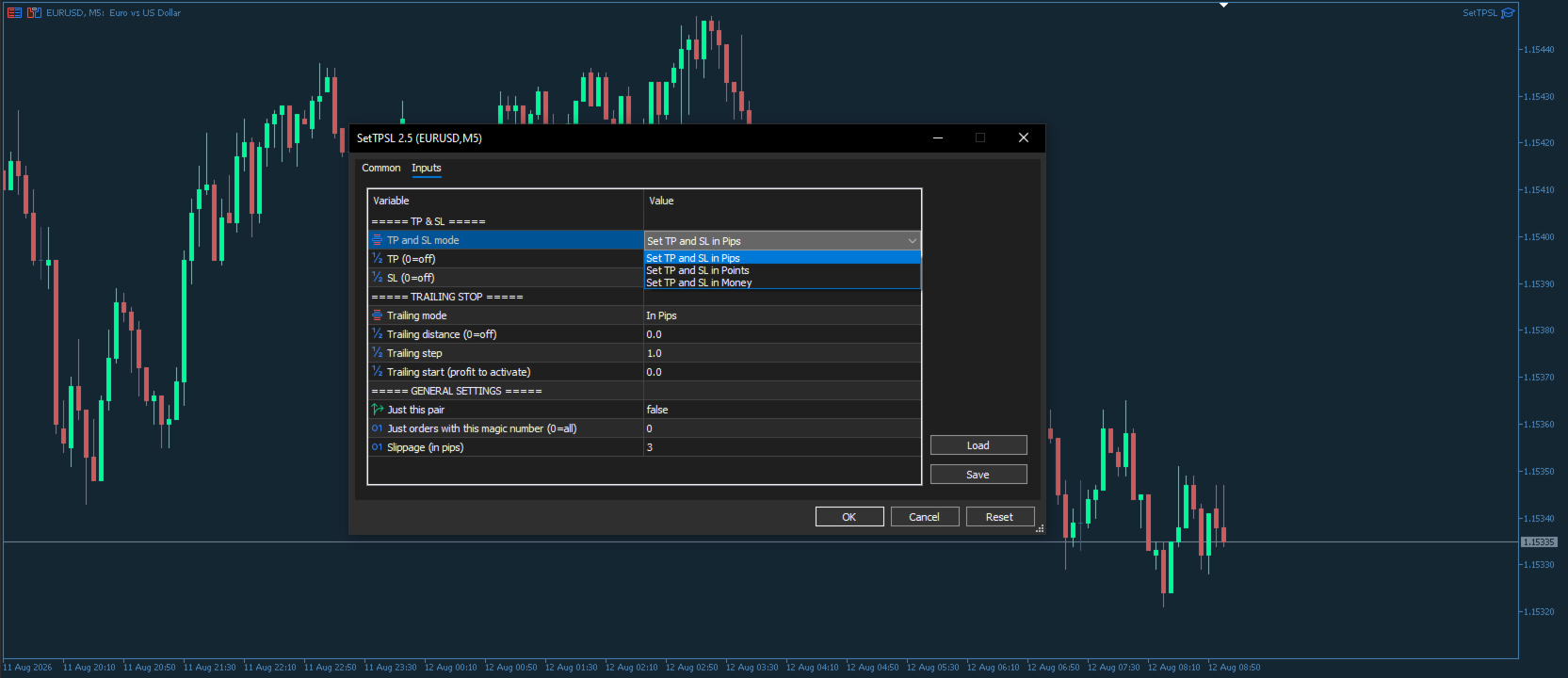
Set TP and SL in Pips Points or Currency watches your open trades and applies the Take Profit and Stop Loss you want, measured in pips, points or account money. Attach it once and every position gets its stops, without manual clicking.
It now includes a trailing stop in pips, points or money, with its own step and activation, so profit is protected while a trade runs. Ideal for signal and copy trades that arrive without stops.
Works on MetaTrader 4 and MetaTrader 5, on any symbol, on all trades or filtered by symbol and magic number.
Pick the unit once for Take Profit and Stop Loss, and a separate unit for the trailing stop. Set a value to zero to skip or remove that level. The trailing stop only tightens, never loosens, honours a minimum step, and starts after the profit you choose.
Key Features:
Automatic Take Profit and Stop Loss on every open trade
Distances measured in pips, points or account money
Trailing stop in pips, points or money, with step and activation
Separate unit for the trailing stop and for the fixed TP and SL
Apply to all trades, the current symbol only, or one magic number
0Use zero to skip or remove a Take Profit or Stop Loss
Fully automatic once attached to a single chart
Works on any instrument: forex, metals, indices, crypto
Ideal For:
Manual traders who forget to place their stops
Signal and copy followers whose trades arrive without stops
Traders who want a trailing stop working while they are away
EA users who want a safety net of stops on every position
Full User Manual: Download the PDF
Keywords: set tp and sl, auto stop loss take profit, trailing stop EA, take profit in pips, stop loss in money, money trailing stop, automatic stop loss, trade manager EA, set take profit, protect open trades, risk management EA, auto sl tp