
Gromas

Draw Lines MT5
🚀 Easily draw Entry, Take Profit, and Stop Loss levels on your chart to analyse and follow trading signals. ✨ Key Features Easily input Entry, TP1, TP2, TP3 and SL values Optional vertical line to mark the exact time of the signal Custom labels and colours for each line Visually assess the accuracy and risk/reward…

Draw Lines
🚀 Easily draw Entry, Take Profit, and Stop Loss levels on your chart to analyse and follow trading signals. ✨ Key Features Easily input Entry, TP1, TP2, TP3 and SL values Optional vertical line to mark the exact time of the signal Custom labels and colours for each line Visually assess the accuracy and risk/reward…

Currency Trailing MT5
💸 Money Trailing EA – Advanced Money-Based Trailing Stop & Profit Locking System Money Trailing is a powerful money-based trailing stop EA designed to lock profits based on real monetary value instead of pips or points. Unlike traditional trailing stop systems, this EA focuses on what truly matters: the actual profit in your account currency.…

Set TP and SL by Price
✅ Set TP & SL by Price – Auto Order Modifier for MT4 🎯 Automatically set precise TP and SL price levels on any trade⚙️ Works with all pairs and EAs, filter by symbol or magic number This Expert Advisor lets you define and apply exact Take Profit (TP) and Stop Loss (SL) levels to…

Show secured
🔒 Secured Profits – Instantly See Your Real Locked-In Gains Do you know how much profit you’re truly protecting in each trade? Secured Profits is a smart and powerful MT4 indicator that displays, in real time, the exact monetary value of profit actually secured by your stop-losses, based on your open trades. Unlike other tools,…
Set TP and SL in Pips Points or Currency
✅ Set TP and SL in Pips Points or Currency🎯 Automatic Take Profit and Stop Loss on every trade, now with a trailing stop Set TP and SL in Pips Points or Currency watches your open trades and applies the Take Profit and Stop Loss you want, measured in pips, points or account money. Attach…

Currency Trailing
💸 Money Trailing – Smart Profit Locking Based on Real Money! Tired of trailing by pips or points that don’t reflect your true gains?With Money Trailing, you trail your profits based on actual monetary value – in your account’s currency – giving you full control over what really matters: the money you lock and secure.…

OpenCharts for OpenOrders
🧠 OpenCharts for OpenOrders – Effortless Chart Management Drop this smart script onto any chart, and it will instantly open a separate chart window for each unique symbol with an open order in your terminal. ⚙️ Key Features: Automatically opens one chart per symbol for all open trades Prevents duplicate charts – even if you…
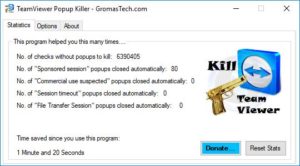
TeamViewer Popup Killer 2.3 FIXED
This is just a small but necessary update to the popular TeamViewer Popup Killer 2.3. The previous version launched in January of 2019 had an annoying bug that, when the computer was rebooted, the settings for TV Popup Killer would not load and it would save the wrong settings where everything in the settings were…
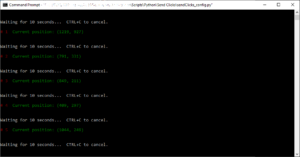
How to send clicks with Python aKa Emulate mouse clicks on Windows
There are some software available to emulate mouse clicks online, some free and some paid. But sometimes the best way to do it is just to use a simple script. It’s light, and it does not require you to install any suspicious software, so you are in control of what it does. I had the…


