- Version 1.0
- Download 2
- File Size 42.19 MB
- File Count 1
- Create Date 18 November, 2026
- Last Updated 18 November, 2026
DontSleep GT
DontSleep GT
Keep Windows awake and stop unwanted restarts
DontSleep GT is a small, free Windows tray program that keeps your PC awake and protects your work from unwanted Windows restarts.
It was made for people who leave long jobs running while they are away: a trading terminal such as MetaTrader, a render, a backup, a large download. Windows Update can restart a PC in the middle of that work, even with a user signed in. DontSleep GT stops the PC from sleeping, tries to cancel automatic restarts, and shows a small card next to the tray telling you what happened, so you come back to a PC that kept working.
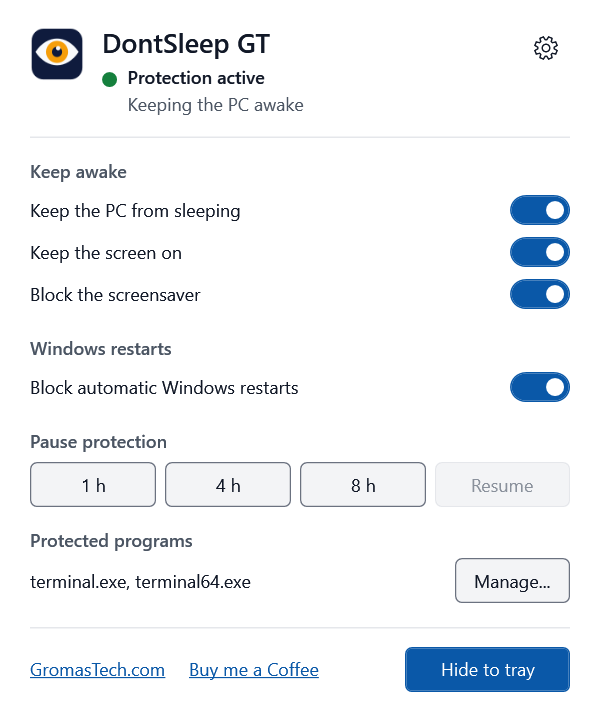
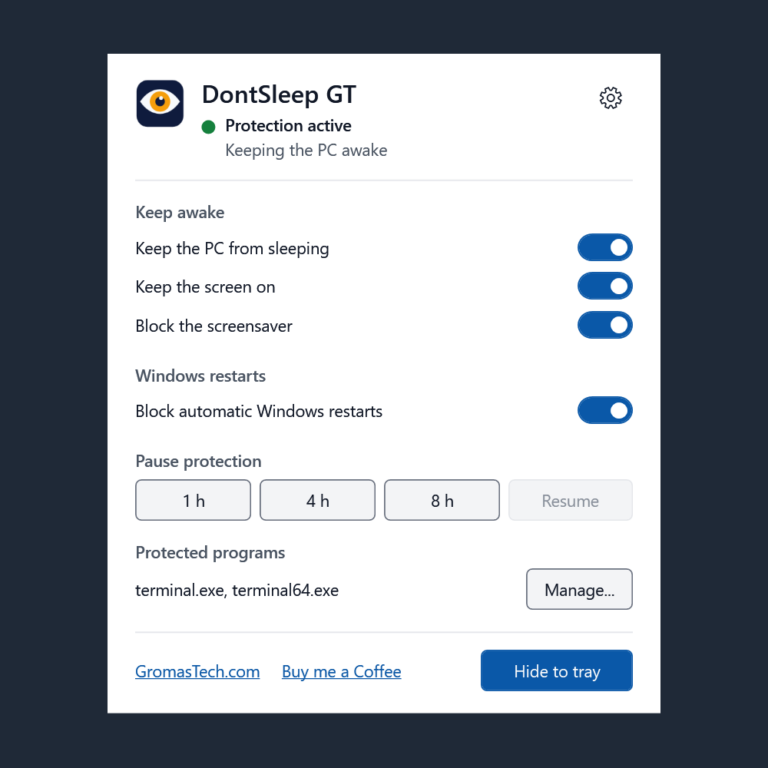
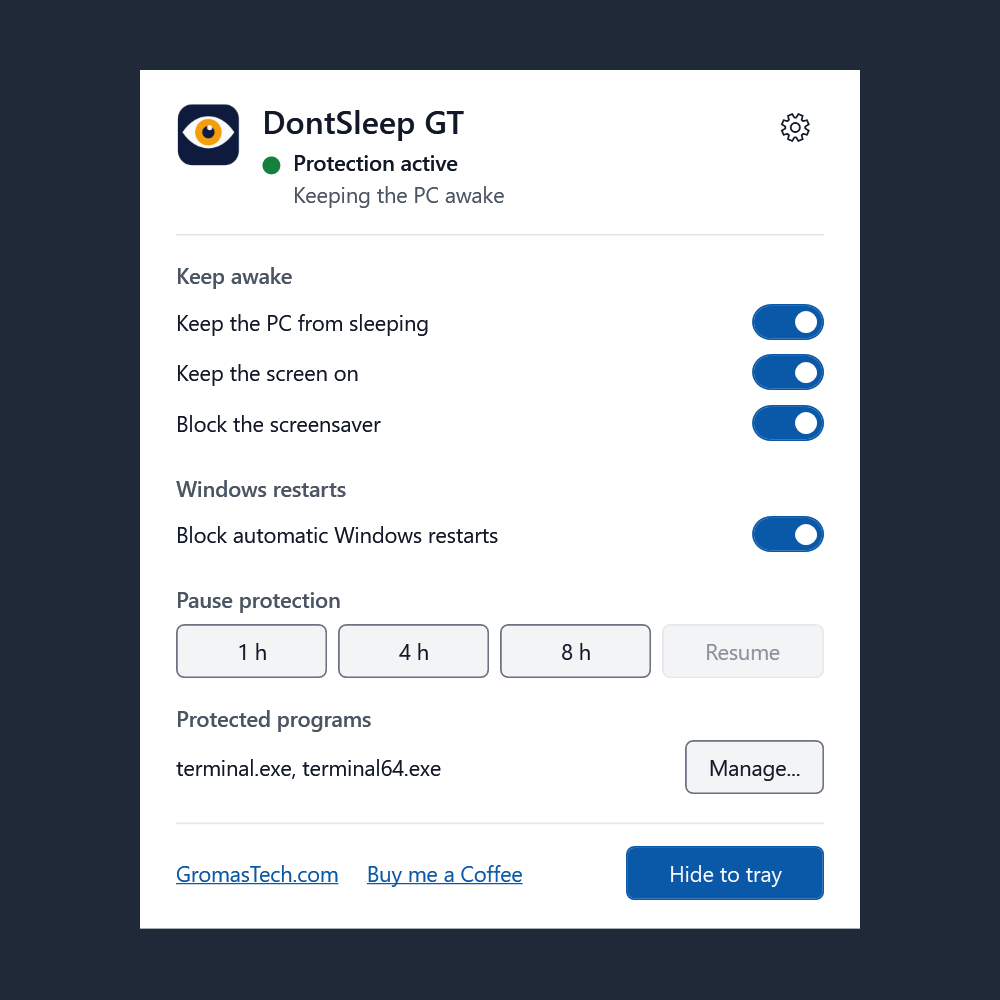
The main window: current state, the switches, the pause control and the protected programs.
What it does
- Keeps the PC awake: no sleep, display kept on, screen saver held off. Each one can be switched off separately.
- Cancels unwanted automatic Windows restarts, such as the ones started by Windows Update, and shows a card next to the tray.
- Postpones the restart reminder using clock times: in 1 hour, in 4 hours, or tomorrow at 09:00.
- Protected programs: choose the programs that must never be interrupted. MetaTrader (terminal.exe and terminal64.exe) is protected out of the box. Add others by name, by path, or by picking them from the running programs.
- Keeps guarding while the session is locked.
- Pause protection for 1, 4 or 8 hours, and resume with one click.
- Optional blocking of restarts and shutdowns started by you. This one is off by default.
- Starts with Windows, straight into the tray. Optional.
- Light, dark or system theme, with high contrast support.
- English and Portuguese (Portugal) built in. Any other language can be added with a plain text .ini file.
- No network use at all: no updater, no analytics, no telemetry.
- One click “Restore and exit” puts every Windows setting back the way it was.
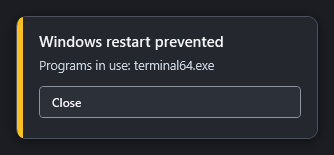
When Windows starts an automatic restart, DontSleep GT cancels it and tells you next to the tray.
How you use it
Install it and it starts in the system tray. Double click the tray icon to open a small window with the current state, the switches, the pause control and the list of protected programs. Everything applies immediately, there is no Save button. The gear icon opens the settings.
Closing the window only hides it: the program keeps working in the tray, and Exit is the only way to stop it. It has to stay running to protect you. There are no global keyboard shortcuts. With “Start with Windows” enabled it loads at sign in, minimised in the tray.
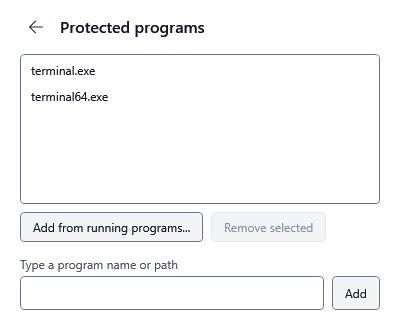
Protected programs. MetaTrader is on the list from the first run.
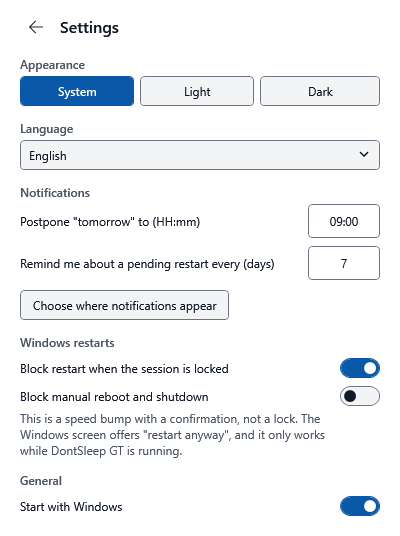
Settings: theme, language, notifications and what to block.
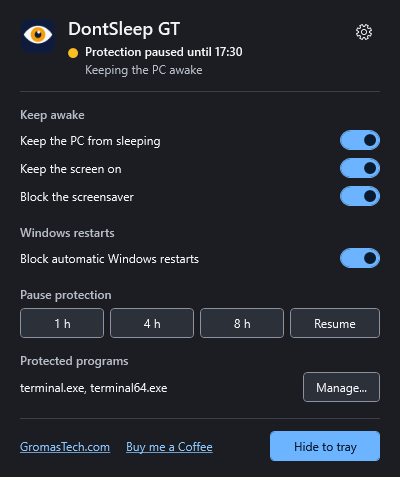
Protection paused for a while, with one click to resume.
Requirements
- Windows 10 or Windows 11, 64 bit only. Tested on Windows 10 22H2.
- No .NET installation needed, the runtime is included.
- Administrator rights. The installer asks for UAC and the program asks for elevation when you open it. When it starts with Windows at sign in there is no prompt.
- The dark tray menu needs Windows 10 version 1903 or newer.
- Installer only, there is no portable version. Starting with Windows requires the program to be installed in Program Files.
- It installs to C:\Program Files\Gromas Tech\DontSleep GT. The installer is available in English and Portuguese.
Silent install, for administrators
For deployment images, scripts, MDM, or a room full of unattended trading and rendering machines:
DontSleepGT-Setup-1.0.0.exe /VERYSILENT /SUPPRESSMSGBOXES /NORESTART
/LANG=enor/LANG=ptsets the installer language./TASKS=desktopiconalso creates a desktop shortcut./NOSTARTdoes not launch the program at the end./LOG="C:\path\setup.log"writes an installation log.
To uninstall silently:
"C:\Program Files\Gromas Tech\DontSleep GT\unins000.exe" /VERYSILENT /SUPPRESSMSGBOXES /NORESTART /REMOVESETTINGS
/REMOVESETTINGS also deletes the program settings. Without it they are kept. Settings are stored per user. When a deployment tool runs the installer as SYSTEM the program is not launched at the end, because there is no user session: it starts at the next sign in.
What DontSleep GT does not do
- It does not block the download or the installation of Windows updates. It only deals with the restart.
- It does not get in the way of a normal shutdown. Blocking the ones you start yourself is off by default.
- It cannot cancel restarts that no program is allowed to cancel. When that happens the card says so and asks you to save your work.
- It does not survive a power cut, a crash, or a restart forced by administrator policy. Windows always has the last word, and a future Windows version may change this behaviour.
- When you close it with Exit, it stops protecting.
- It does not use the network and it collects no data.
Before you install
The installer is not digitally signed, so Windows SmartScreen may show a “Windows protected your PC” message the first time you run it. Click More info, then Run anyway. Enabling “Start with Windows” registers a scheduled task, which some antivirus products find unusual. It was tested with Windows Defender, with no complaints.
File details
The download is dontsleep-gt-v1.0.zip (42.2 MB). Inside it you will find the installer, DontSleepGT-Setup-1.0.0.exe (42.8 MB).
SHA256 of the installer: 3bb19d08577a4ce7478750c3f85afd3c13a4313d53b59b1f785361c5aec59360
Free, as always
DontSleep GT is free. If it saves your work even once, please consider a small donation to help cover the servers and keep these tools free for everyone.
Version 1.0. © GromasTech 2026.